
日本旅行前にスマホへモバイルSuica/PASMOを設定する方法(およびクレジットカードエラーの解決策)
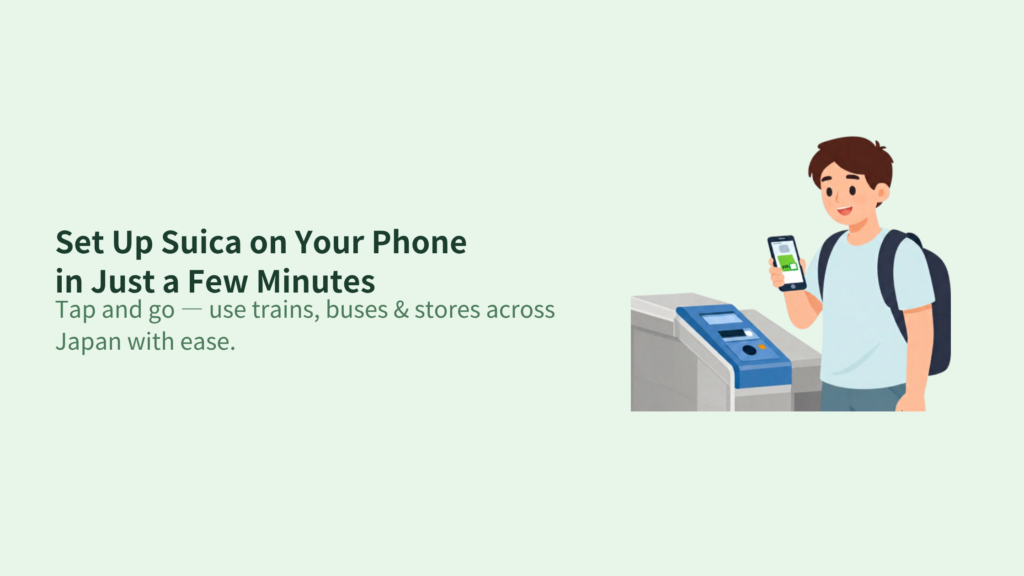
No More Ticket Lines: Turn Your Phone into a Magic Transit Pass
Japan’s train system is legendary for its punctuality, but buying a paper ticket every time you change lines is a traveler's nightmare. By adding a digital Suica or PASMO to your smartphone, you can bypass the ticket machines entirely. You don’t even need to wake up your screen or open an app—just tap your phone against the ticket gate and glide through.
(訳:日本の電車は正確なことで有名ですが、乗り換えのたびに紙の切符を買うのは旅行者にとって悪夢です。スマホにデジタルSuicaやPASMOを追加すれば、切符売り場を完全にスルーできます。画面を起動したりアプリを開いたりする必要すらありません。改札機にスマホをタッチするだけで通り抜けられます。)
The best part? You don't have to wait until you arrive in Japan. You can set it up right now, from the comfort of your own home, before your flight! Let's get your phone ready for Japan.
(訳:最大のメリットは? 日本に到着するまで待つ必要はないということです。飛行機に乗る前、今すぐ自宅で快適にセットアップできます! 日本旅行に向けてスマホの準備を始めましょう。)
Step 1: Setting Up Suica/PASMO on iPhone (Apple Wallet)
If you are an iPhone user, setting up a transit card takes less than a minute directly through your Apple Wallet.
(訳:iPhoneユーザーなら、Appleウォレットから直接1分未満で交通系ICカードをセットアップできます。)
- Open the "Wallet" app on your iPhone and tap the "+" icon in the top right corner.
(iPhoneの「ウォレット」アプリを開き、右上の「+」アイコンをタップします。) - Select "Transit Card" .
(「交通系ICカード」を選択します。) - Search for "Suica" or "PASMO" and select it.
(「Suica」または「PASMO」を検索して選択します。) - Tap "Continue", enter the amount you want to top up (e.g., 2,000 Yen is a good start), and complete the payment using your registered Apple Pay credit card.
(「続ける」をタップし、チャージしたい金額(最初は2,000円などがおすすめ)を入力し、登録してあるApple Payのクレジットカードで支払いを完了します。)
【Crucial Tip】 How to Fix Visa/Foreign Credit Card Errors
A massive trap for international travelers is that Japanese security systems often block foreign credit cards—especially Visa—when you try to charge money inside the Apple Wallet app.
(訳:海外旅行者への大きな罠として、Appleウォレット内でチャージしようとすると、日本のセキュリティシステムが海外のクレジットカード(特にVisa)をブロックしてしまうことが多発します。)
- Solution A: Use a Mastercard or American Express (Amex). These networks bypass the security blocks much more successfully than Visa.
(対策A:MastercardかAmexを使う。これらのブランドはVisaよりもセキュリティブロックをすり抜けやすいです。) - Solution B: Download the Official Suica App. If Apple Wallet fails, download the official "Suica" app from the App Store, register your account there, and try charging through the app.
(対策B:公式Suicaアプリをダウンロードする。Appleウォレットで失敗する場合は、App Storeから公式「Suica」アプリを落とし、会員登録をしてアプリ内チャージを試してください。)
Step 2: Setting Up on Android (Google Wallet)
For Android users, the setup can be a bit tricky depending on where you bought your phone.
(訳:Androidユーザーの場合、スマホをどこで購入したかによってセットアップが少しトリッキーになります。)
The "Osaifu-Keitai" Compatibility Issue
To use mobile Suica/PASMO on Android, your phone must support a Japanese hardware standard called "Osaifu-Keitai" (FeliCa). Most Android phones purchased outside of Japan do NOT have this hardware chip. If you open Google Wallet and cannot find Suica or PASMO under transit cards, your phone is unfortunately not compatible with digital Japanese transit cards.
(訳:AndroidでモバイルSuica/PASMOを使うには、スマホが「おサイフケータイ(FeliCa)」という日本独自のハードウェア規格に対応している必要があります。日本国外で購入されたほとんどのAndroid端末には、このハードウェアチップが搭載されていません。Googleウォレットを開いて交通系ICカードの中にSuicaやPASMOが見つからない場合、残念ながらその端末は日本のデジタル交通系カードに対応していません。)
The Solution for Android Users: Welcome Suica / PASMO Passport
If your Android phone doesn't support the digital card, don't worry! Your best option is to get a physical Tourist IC Card on your first day in Japan.
(訳:もしお使いのAndroidがデジタルカードに対応していなくても心配いりません! 一番良い選択肢は、日本に到着した初日に外国人旅行者向けの物理ICカードを手に入れることです。)
- Welcome Suica (by JR East) or PASMO PASSPORT.
- Where to get it: You can buy them at major airports (Haneda or Narita) via dedicated vending machines or customer service windows. They require no deposit and feature cute designs, making them great souvenirs!
(入手場所:羽田や成田などの主要空港にある専用券売機や窓口で購入できます。デポジットは不要で、可愛いデザインなのでお土産にも最適です!)
Step 3: No Credit Card? How to Top Up with Cash in Japan
If your credit card keeps failing inside the app, or if you prefer to use cash, you can easily top up your digital Suica/PASMO using Japanese Yen (cash) once you arrive in Japan. Here are the three easiest spots:
(訳:アプリ内でクレジットカードがどうしてもエラーになる場合や、現金を使いたい場合は、日本に到着したあとに日本円(現金)を使ってデジタルSuica/PASMOに簡単にチャージできます。最も簡単な3つのスポットがこちらです:)
1. Seven-Eleven Convenience Stores (Seven-Bank ATMs)
Walk into any 7-Eleven, find the Seven-Bank ATM, and tap the "Card Charge" button on the screen. Place your smartphone on the designated physical reader platform, insert your cash (Yen bills), and your phone is instantly charged. It takes less than 30 seconds!
(訳:セブン-イレブンに入り、セブン銀行ATMを見つけ、画面の「カードチャージ」ボタンをタップします。指定の読み取り台にスマホを置き、現金(日本円の紙幣)を投入すれば、一瞬でスマホにチャージされます。30秒もかかりません!)
2. Pink or Green Station Ticket Machines
Inside train stations, look for the newer ticket machines (often pink or green) that feature a physical tray or slot to lay your smartphone down. Place your phone in the slot, select "Charge" on the screen, and insert your cash.
(訳:駅の改札付近にある、スマホを横にして置ける専用トレイやポケットが付いた新型の券売機(ピンクや緑色が多い)を探します。スマホをそこに置き、画面の「チャージ」を選択して現金を投入します。)
3. Convenience Store Registers
You can top up at the cash register of any convenience store (FamilyMart, Lawson, 7-Eleven). Simply show your phone to the cashier and say: "Suica, Charge, Please." They will ask you to select the amount on the touch screen, and you can pay them with cash.
(訳:コンビニ(ファミリーマート、ローソン、セブン-イレブン)のレジでもチャージ可能です。店員さんにスマホを見せて「Suica, Charge, Please.」と言うだけです。タッチパネルで金額を選ぶよう促されるので、現金を支払えば完了です。)
5. Conclusion: You Are Now a Transit Master
With an eSIM maintaining your internet connection and a mobile Suica ready on your phone, you have officially unlocked the ultimate stress-free way to travel Japan. No queues, no ticket confusion, no lost time. Get ready to tap, go, and explore!
(訳:ネット接続を維持するeSIMと、スマホに用意されたモバイルSuicaがあれば、ストレスフリーな究極の日本旅行への扉が正式に開かれました。行列も、切符の混乱も、時間のロスもありません。さあ、タッチして、進んで、冒険に出かけましょう!)